Your screen share is too small to read? They zoom in.
Somebody asks you to make it bigger, so you do, and now your own screen no longer fits. With Quisnap you leave it as it is. Each person watching zooms into the part they need, as close as they need, and the words stay sharp.
Download free for Windows
Share from Windows. They watch in their browser.
Bigger, and still sharp.
- Your whole screen arrives. They're looking at it at its full size, not a picture shrunk to fit their window, so zooming in reaches detail that was there all along.
- Just the scroll wheel. It grows around their mouse, wherever they point it.
- Nothing moves on yours. Everyone zooms on their own. You keep your font, your layout and your windows where they were.
- Not the browser's zoom. That only makes the buttons bigger. This makes your screen bigger.
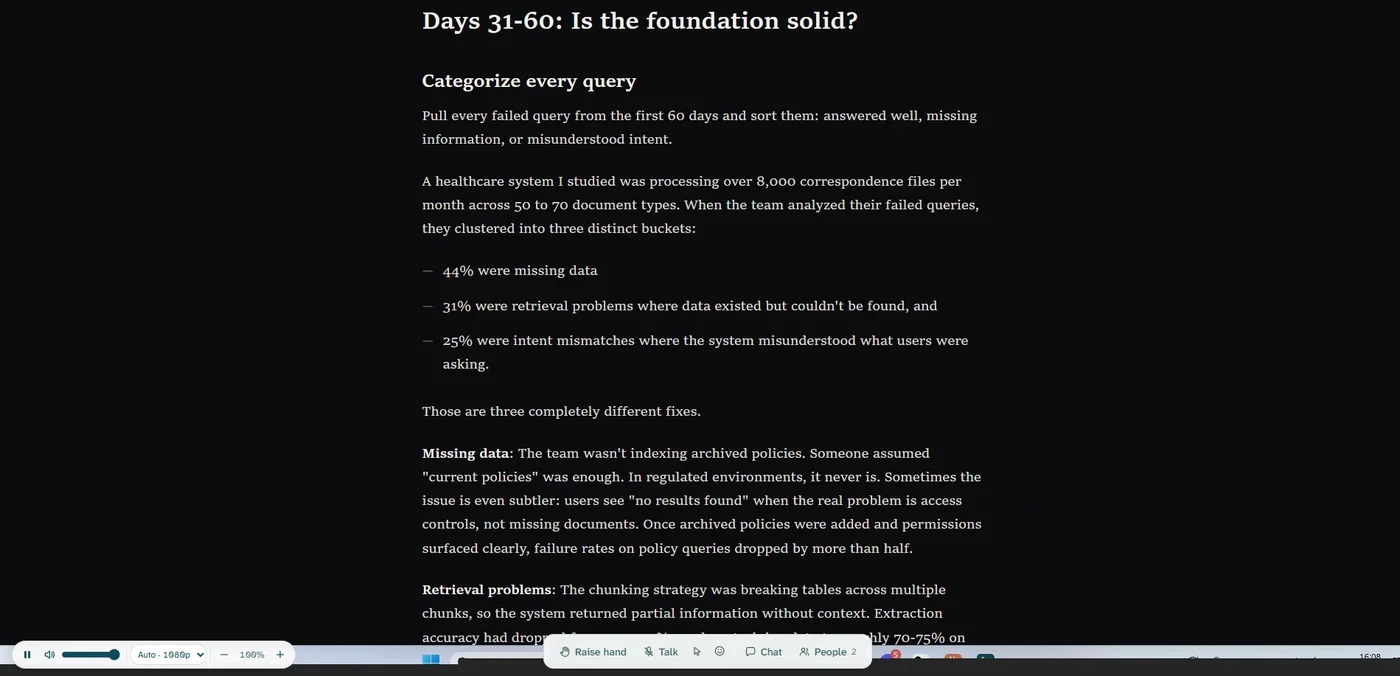
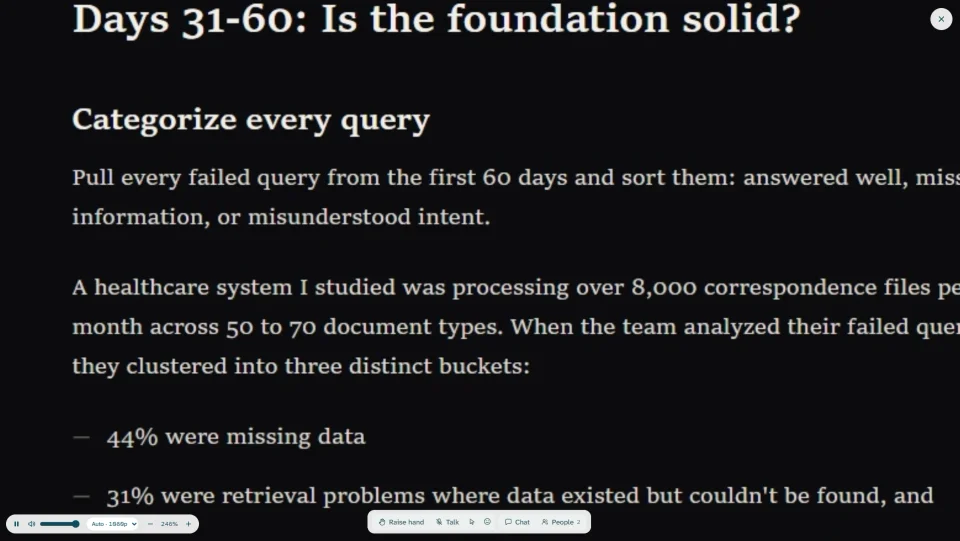
For the people watching, it's one link.
1
Open the link.
In Chrome or Edge. Nothing to install, no account to make.
2
Scroll over the part they can't read.
It grows around the mouse until it's readable.
3
Copy it, if they need it.
The words on your screen are words. They select and copy them, live.