Find the moment a word was on screen.
The slide with the deadline, the line of code, the figure somebody asked about. Type the word and the recording lists every moment it was on your screen, and lands on the one you pick. No scrubbing through an hour of video.
Works on every session you share with Quisnap.
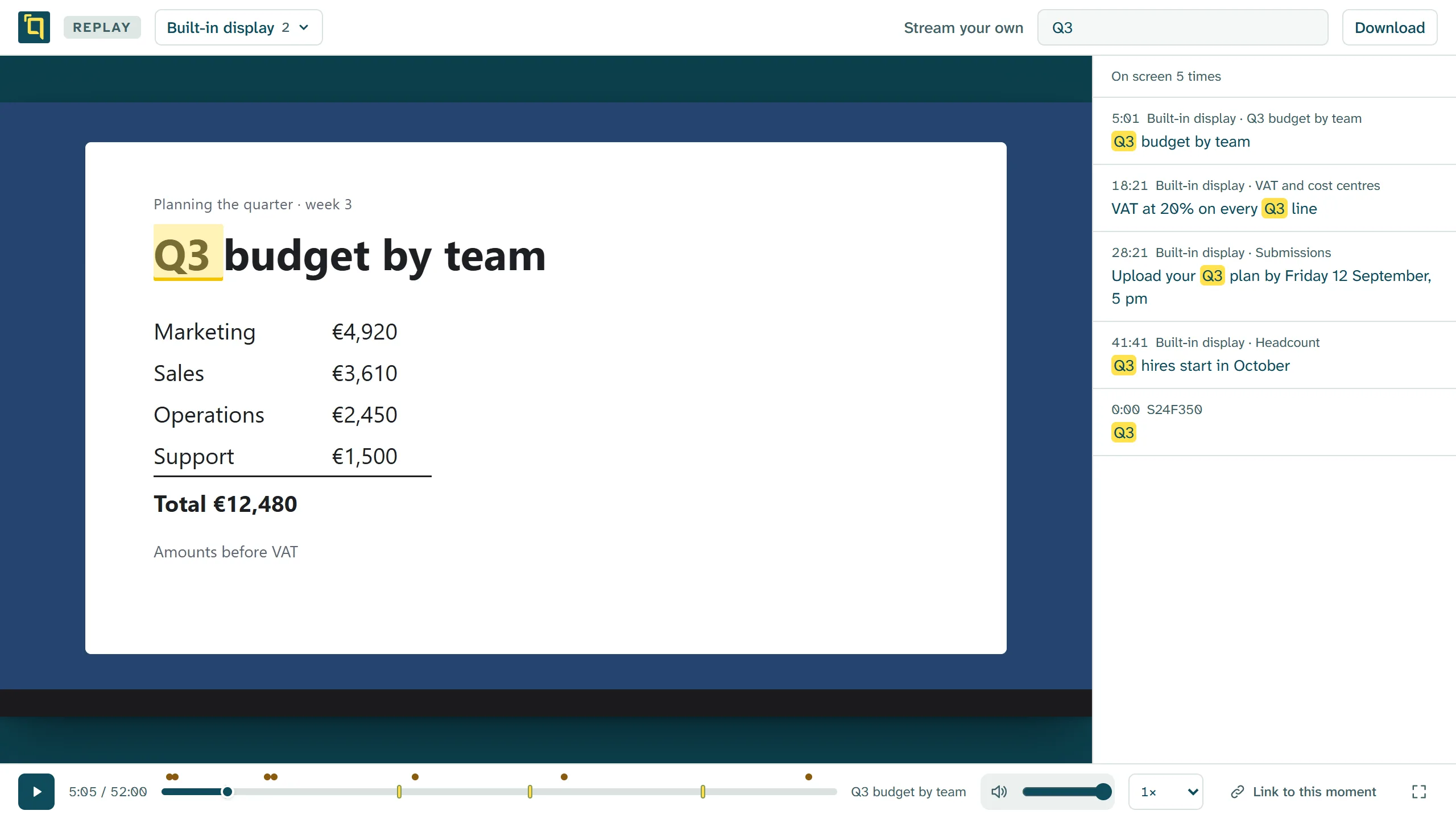
Every place it appeared, and the time beside it.
The word is marked where it sits on your screen, the moments are listed beside the picture, and the same moments are marked along the timeline.
Not only the word.
Scenes
A new one starts wherever the screen changed, named after what was on it.
A link to the moment
Send somebody straight to the second you mean, not to the start.
Copy from it
The words on the recording are words too. Select them and copy them.
What was said
The chat stays with the recording, each message at the moment it was sent.
Nothing to upload, nothing to send.
You share your screen with Quisnap, and when you stop, the link you sent is the recording. The people who were there, and the ones who weren't, open the same link and search it.